Multi-host meeting types
A meeting type can require more than one host. Instead of one person’s calendar, the invitee books a slot where every host is free, and the resulting meeting appears on all hosts’ calendars at once.
How it works
Section titled “How it works”- A meeting type has a creator and up to 9 co-hosts — 10 hosts total.
- The type only becomes bookable once every co-host has accepted the invitation. Until then it behaves as if it doesn’t exist for invitees.
- Bookable slots are the intersection of every host’s availability — a time only appears if all hosts are free.
- One booking creates one calendar event shared by every host; there is no per-host copy to keep in sync.
- Duration, minimum notice, and booking horizon come from the creator’s meeting-type settings. Working hours and buffers are set by each host individually — see Per-host availability.
Creating a shared meeting type
Section titled “Creating a shared meeting type”Create or edit a meeting type in your owner console at /me as usual, then add co-hosts by username in the Co-hosts field. As you type, a suggestion list of matching usernames appears — this is a progressive enhancement, so the field also works as a plain text input with JavaScript disabled.
 Adding a co-host by username on the meeting-type form. The autocomplete suggests matches as you type; without JavaScript, type the exact username and submit.
The type’s slug must be free in every host’s namespace. If the slug you choose already exists under any co-host’s account (or vice versa — one of your existing slugs collides with a co-host’s own meeting types), the form blocks it. This check runs in both directions so no host’s existing links are ever silently shadowed.
Consent flow
Section titled “Consent flow”Adding a co-host does not make the type bookable right away — each invited co-host must explicitly accept. They are notified two ways:
- Email — a one-click Accept or Decline link.
- Dashboard — a pending request appears under a new Shared section on their own
/me.
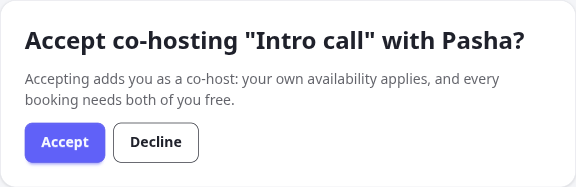 A co-host sees the pending invitation both on their dashboard and in their inbox — either one can accept or decline it.
The meeting type stays unbookable — no slots are ever offered — until all co-hosts have accepted. A single decline removes that host from the type; the creator can re-invite or remove co-hosts and adjust the roster from the meeting-type form at any time.
Per-host availability
Section titled “Per-host availability”Once a co-host accepts, they configure their own working hours and before/after buffers for that shared type from their Shared page under /me. This is independent of their availability for their own meeting types, and independent of every other host’s schedule.
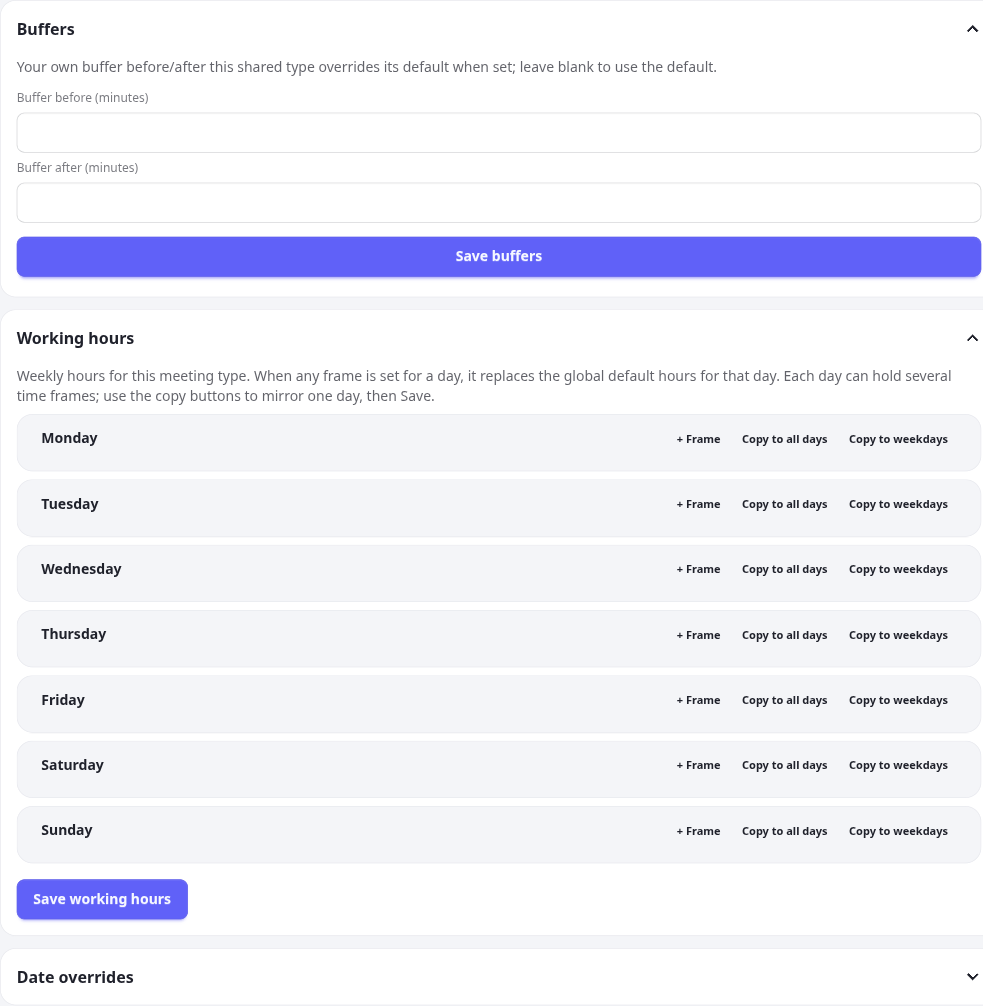 Each host manages their own hours and buffers for the shared type; calit intersects all of them when computing bookable slots.
Buffers when the type offers several lengths
Section titled “Buffers when the type offers several lengths”A host’s own buffer and the buffer on the length being booked can both apply to the same booking. When they do, the one enforced is whichever is larger — a buffer is a floor on the padding around a meeting, not a value one source can talk the other down from.
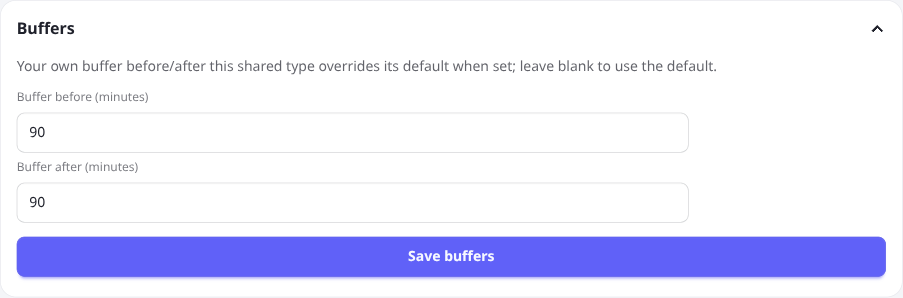 This co-host needs 90 minutes either side, whatever the length. On a type also offering a 120-minute option with its own 45-minute buffer, this host still gets 90 — while a host without an override gets the 45 the length asks for.
Leaving both fields blank is not the same as entering 0. Blank means “no requirement of my own”, so the meeting type’s buffer applies; 0 is an explicit statement that this host needs no gap at all, and it competes with the length’s buffer like any other value. That is also why a host who sets a buffer smaller than the meeting type’s default keeps it — nothing else is asking for more.
Everything else about the type — duration, minimum notice, booking horizon, required approval, custom booking fields — is controlled by the creator and applies the same way to every host.
Booking URLs and aliases
Section titled “Booking URLs and aliases”A shared meeting type is reachable at:
/<anyHost>/<slug>Every accepted host’s username is a valid alias for the same public booking page — there is no separate page per host. The creator’s URL is the canonical one and is what appears in confirmation, reminder, and other booking emails.
Once the type is fully accepted (every co-host has confirmed) it also appears on each accepted host’s own public landing page at /<username>, alongside their regular meeting types.
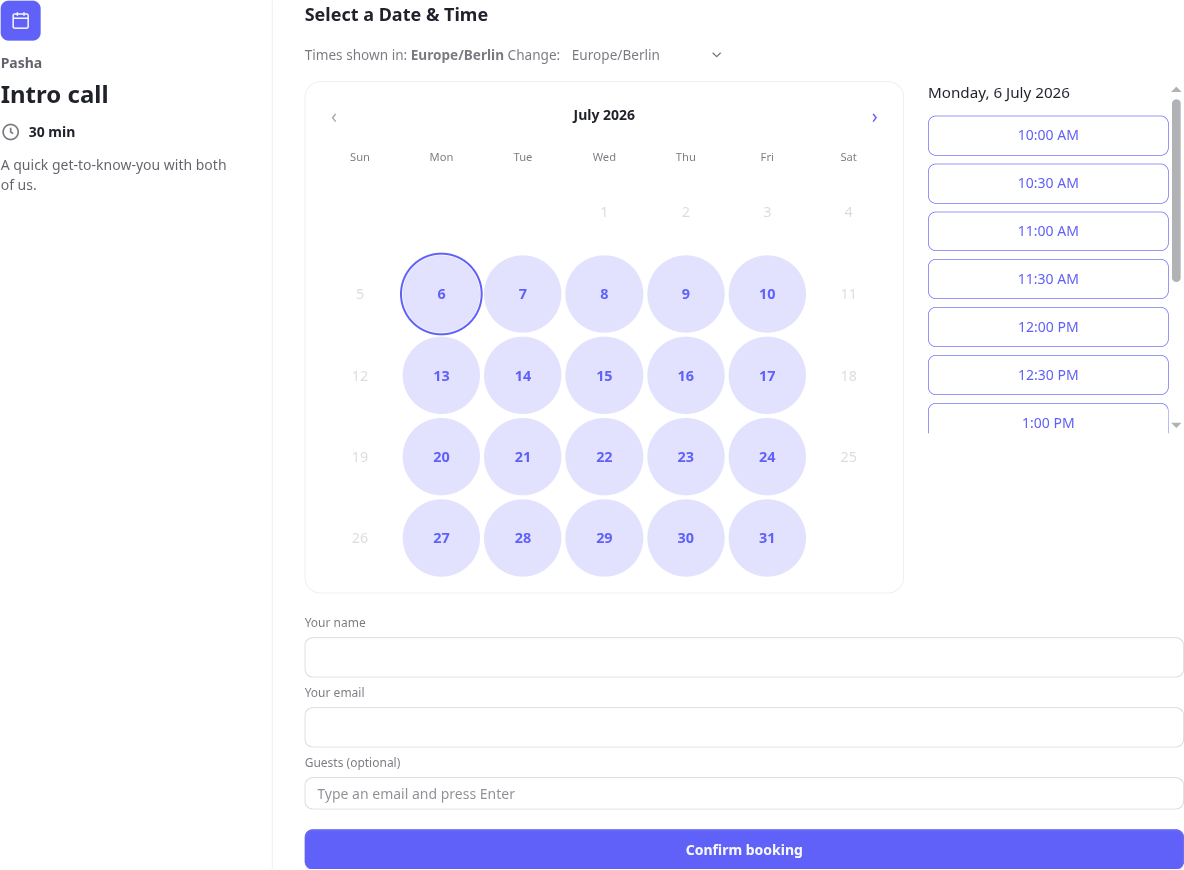 The same shared meeting type, reached through any host’s username — slots shown are where every host is free.
Approval
Section titled “Approval”If the meeting type requires approval, every host must approve a booking before it confirms — not just one. The requested slot is held while the approval is pending, so it can’t be booked out from under the group in the meantime. Any single host declining cancels the whole request; there is no partial approval.
Cancel and reschedule
Section titled “Cancel and reschedule”Cancelling or rescheduling a shared booking acts on the whole group — there is one shared calendar event, so a change from any host (or the invitee) applies to all hosts at once. There is no way to reschedule or cancel for only one host while leaving the others booked.
Rescheduling an approval-required shared booking sends it back into the approval queue — all hosts need to approve the new time before it’s confirmed again.
When a shared type is unavailable
Section titled “When a shared type is unavailable”A shared meeting type shows as temporarily unavailable — no bookable slots at all — whenever calit cannot verify that every host is actually free. This happens when:
- A co-host hasn’t accepted yet.
- A co-host’s account is disabled.
- A co-host’s calendar account is disconnected or needs reconnect.
This is a deliberate fail-closed design: calit will never offer a slot it cannot confirm against every host’s calendar, rather than risk double-booking someone.
 Invitees see a plain “temporarily unavailable” state instead of a slot picker until every host is ready.
Limits
Section titled “Limits”- Up to 10 hosts per meeting type (the creator plus up to 9 co-hosts).