Meeting types
Meeting types define what your invitees can schedule. Each type gets its own public URL and can be configured independently.
Owner console
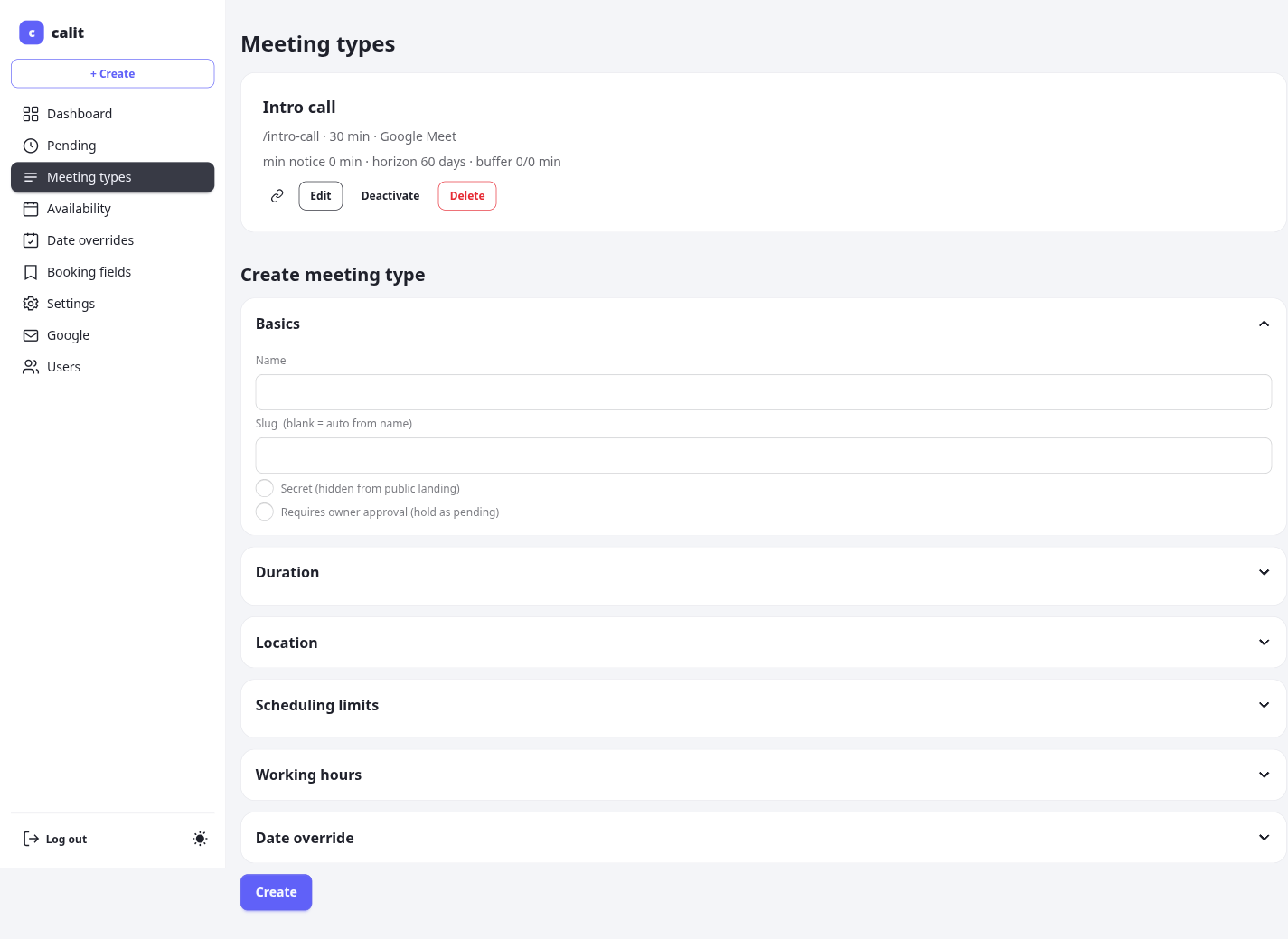
Section titled “Owner console”All meeting-type management lives in your owner console at /me. From there you can create, edit, activate, deactivate, or delete meeting types.
Deleting a meeting type
Section titled “Deleting a meeting type”A meeting type with upcoming pending or confirmed bookings cannot be deleted, including bookings that sit on a co-host’s calendar. Cancel them first, or deactivate the type to stop new bookings. Once only past or cancelled bookings remain, Delete removes the type together with all of its bookings.
Public URLs
Section titled “Public URLs”Each meeting type has a slug — a short identifier that forms the public booking URL:
/<username>/<slug>Your landing page at /<username> lists all of your active, non-secret meeting types. Secret meeting types are still bookable via their direct URL but do not appear on the listing.
Per-type settings
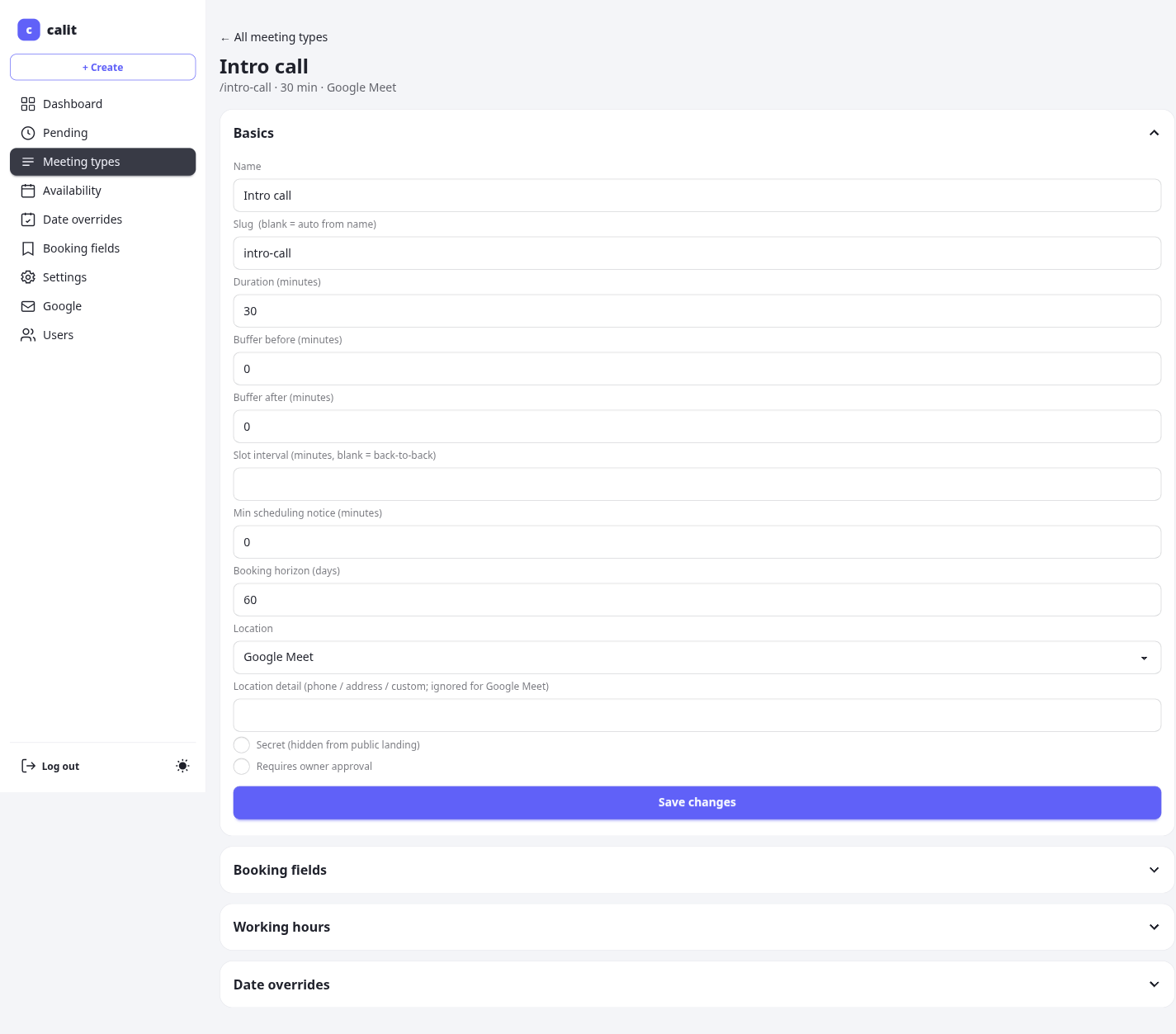
Section titled “Per-type settings”| Setting | Description |
|---|---|
| Slug | URL-safe identifier; must be unique within your account. |
| Duration | Length of the meeting in minutes. If the type offers several lengths, this one is the default — what an invitee sees before choosing. |
| Buffer before / after | Padding added before and after each booking so it does not count as free time. |
| Minimum notice | How far in advance a booking must be made (e.g. 60 minutes means no same-hour bookings). |
| Booking horizon | How many days into the future invitees can book (default 60 days). |
| Requires approval | When enabled, new bookings are held in a pending state until you approve them. See Bookings & approvals. |
| Note | Free text shown to whoever books this type — on the booking page and on your landing page card. See Note. |
| Custom booking fields | Extra questions shown to the invitee on the booking form (name, company, notes, etc.). |
| Name field | Whether the invitee’s name on the booking form is Required (default), Optional, or Hidden. See Booking form fields. |
| Guests field | Whether the booking form offers a Guests field (default) or hides it. See Booking form fields. |
| Secret | Hides the type from /<username> while keeping the direct link active. |
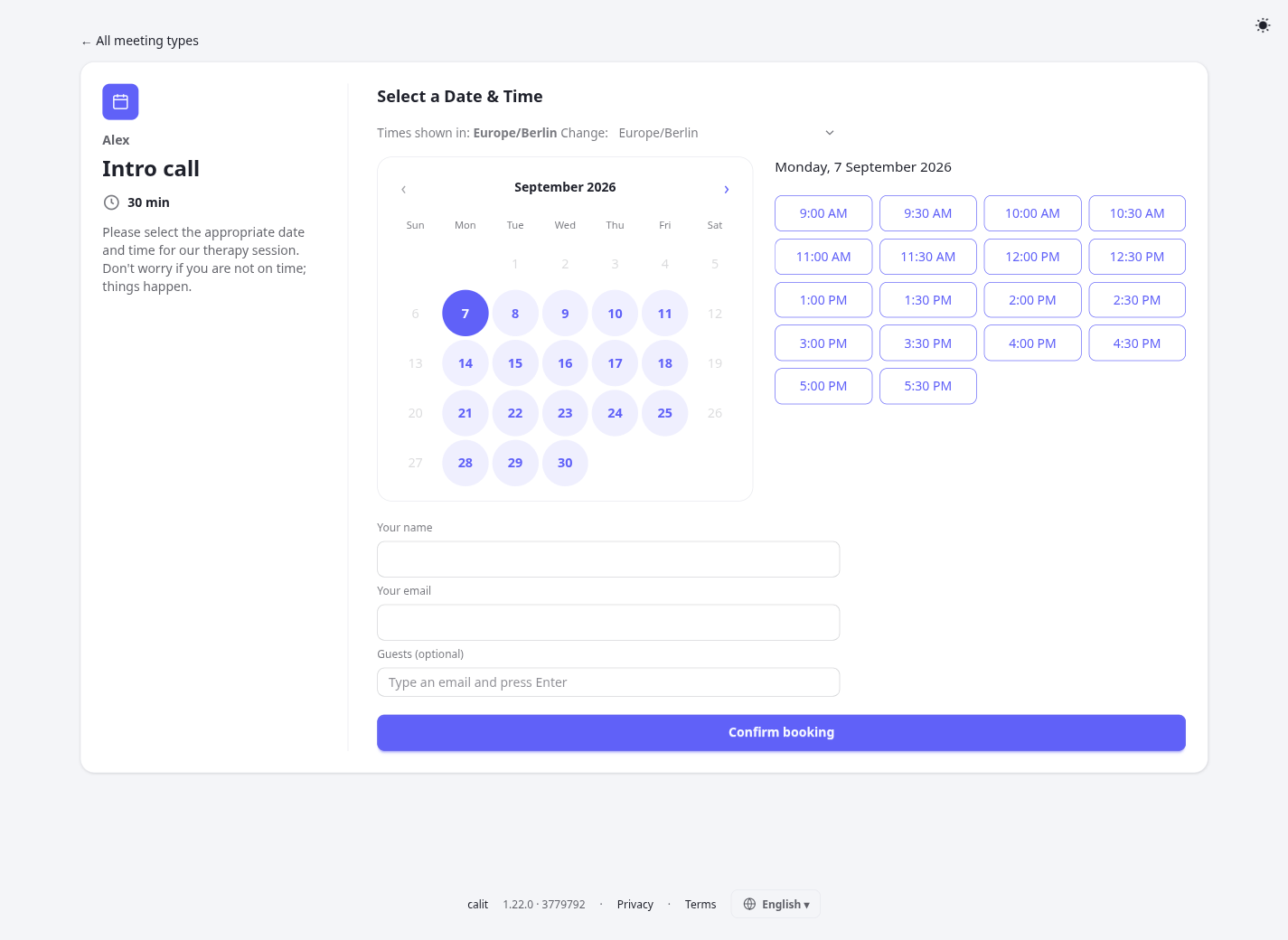
Each meeting type can carry a short note for the person booking it — house rules, what to prepare, or a reassurance:
Please select the appropriate date and time for our therapy session. Don’t worry if you are not on time; things happen.
Write it in the Note box in the type’s Basics section. It appears under the meeting name and duration on the booking page, and on the type’s card on your landing page. Clear the box to remove it.
Booking form fields
Section titled “Booking form fields”The booking form always asks for the invitee’s email — it identifies the booking and receives the manage link — but the other two built-in fields are up to you, per meeting type. In the type’s Basics section:
- Name field on the booking form — Required (the default), Optional, or Hidden. When the name is optional and left blank, or hidden altogether, the booking is filed under the part of the email address before the
@(sosam@example.combooks assam), and that is the name you see in emails, calendar entries and your bookings list. - Guests field on the booking form — Optional (the default) or Hidden. A hidden guests field disappears from the booking form and from both Manage pages — the invitee’s and your own — so nobody can add or remove guests on bookings of that type. Anything submitted for it anyway is ignored, so a type with the field hidden never gains guests. Guests that already existed on a booking before you hid the field are kept and still get their invites; switch the field back to Optional if you need to remove them.
The local-part fallback is only as distinctive as the address: sam@example.com and sam@work.example both book as sam, and that is the name that greets them on the confirmation page and in emails. If you want to address people by name, keep the field Required or Optional.
Both settings are enforced server-side, not just by hiding inputs, and apply to the JSON booking API as well as the form. Custom booking fields are unaffected: they keep their own required flag, and a question nobody should answer is simply not added to that type.
Allowed durations
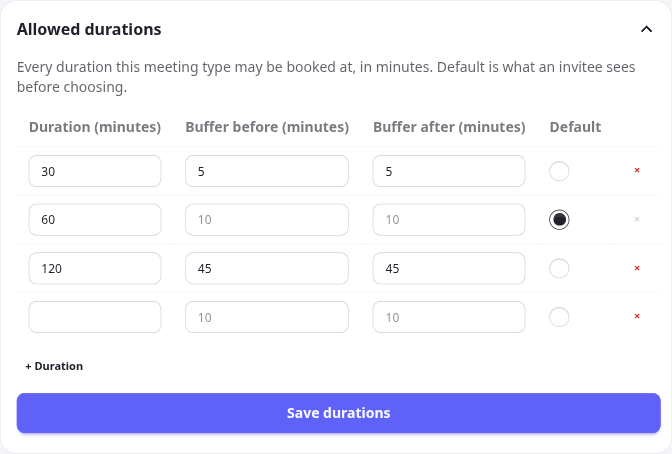
Section titled “Allowed durations”A meeting type does not have to offer just one length. In the type’s Allowed durations section you can add extra lengths — say a 60-minute type that also offers 30 and 120 minutes — each with its own buffer before and after.
Invitees pick a length above the slot grid on the public booking page before choosing a time. If you only ever offer one length, no picker appears at all and the page looks exactly as it did before.
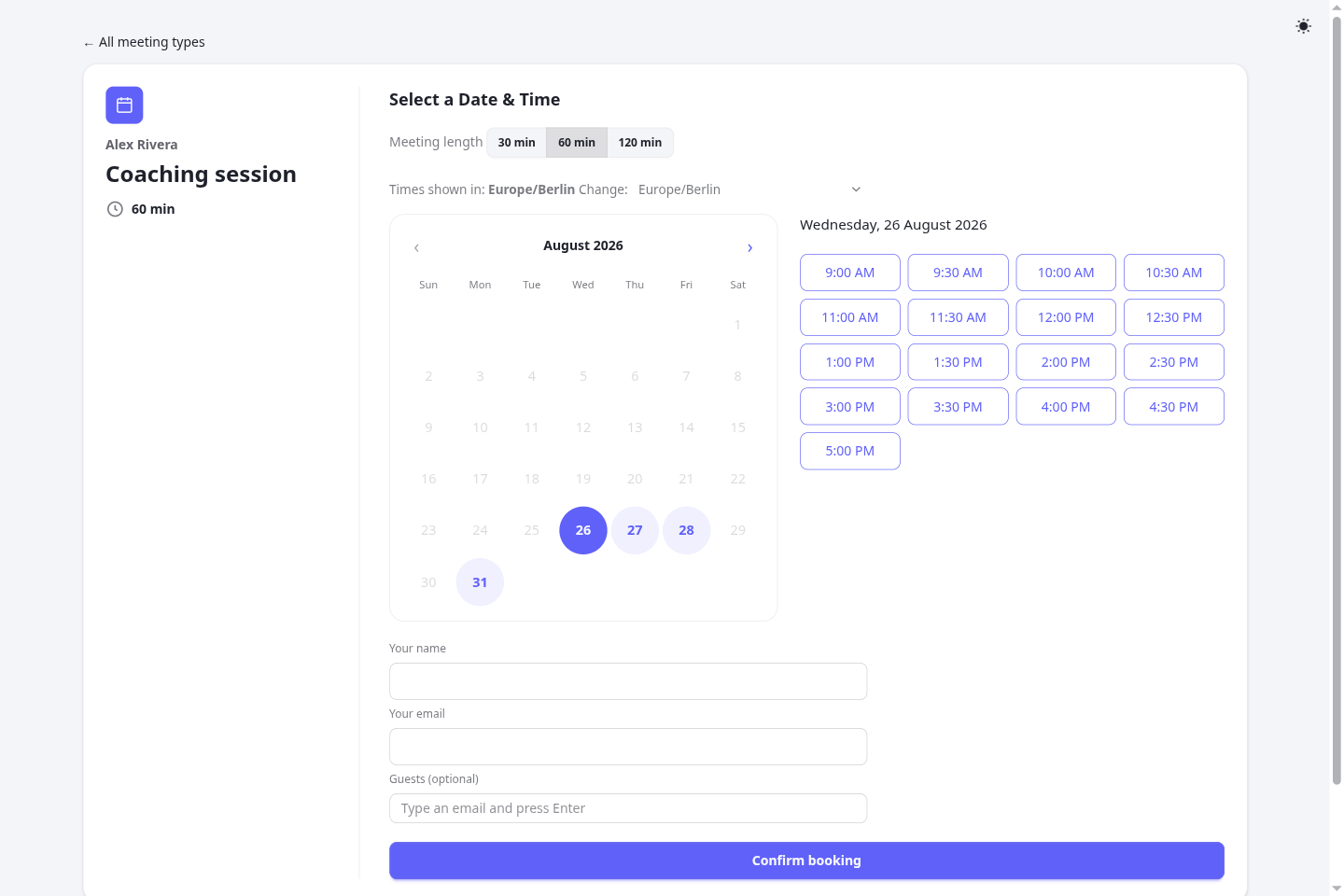
Use + Duration to add a row and × to drop one, then save. A row whose duration is blank is ignored, so clearing a duration also removes that length. Leave a row’s buffer fields blank and that duration uses the meeting type’s own — the greyed number in the empty box is the value it will use.
Without JavaScript the + Duration button does nothing, so the table always renders one spare blank row: fill it in and save to add a duration, one per save.
Setting the default
Section titled “Setting the default”The default is what an invitee sees before they choose, and what a plain link to the type’s URL books. Pick it with the Default radio in the durations table, then save.
The default is always offered, which is why its row’s × is disabled: moving the default to another row leaves the previous one on the list as an ordinary duration, so nothing is lost. To stop offering it too, clear its duration once it is no longer the default.
Adding a duration and choosing it as the default can happen in one save — tick Default on a row you just filled in.
The Duration field in Basics is the same value, and editing it there still works; they are two views of one setting rather than two settings.
A buffer is a floor on how much padding surrounds a booking, never a setting that can be relaxed. So where two of them apply to the same host — the host’s own override on a shared type, and the chosen length’s override — the one actually applied is whichever is larger. Setting a narrow buffer on a length does not shorten a co-host’s turnaround, and a wide host buffer does not override a wider one on the length.
Leaving either blank means “no requirement from this source”, not “zero”: a blank falls through to the meeting type’s own buffer rather than competing with the other override. A co-host who deliberately sets a smaller buffer than the type’s default keeps it, as long as no length asks for more.
On a shared type, a co-host sets their own buffer in Buffers on their shared-availability page — see Shared meeting types.
Switching between lengths does not move the start times already on offer — a longer pick simply drops the starts that no longer leave enough room, since every length shares the same underlying lattice.
Google account
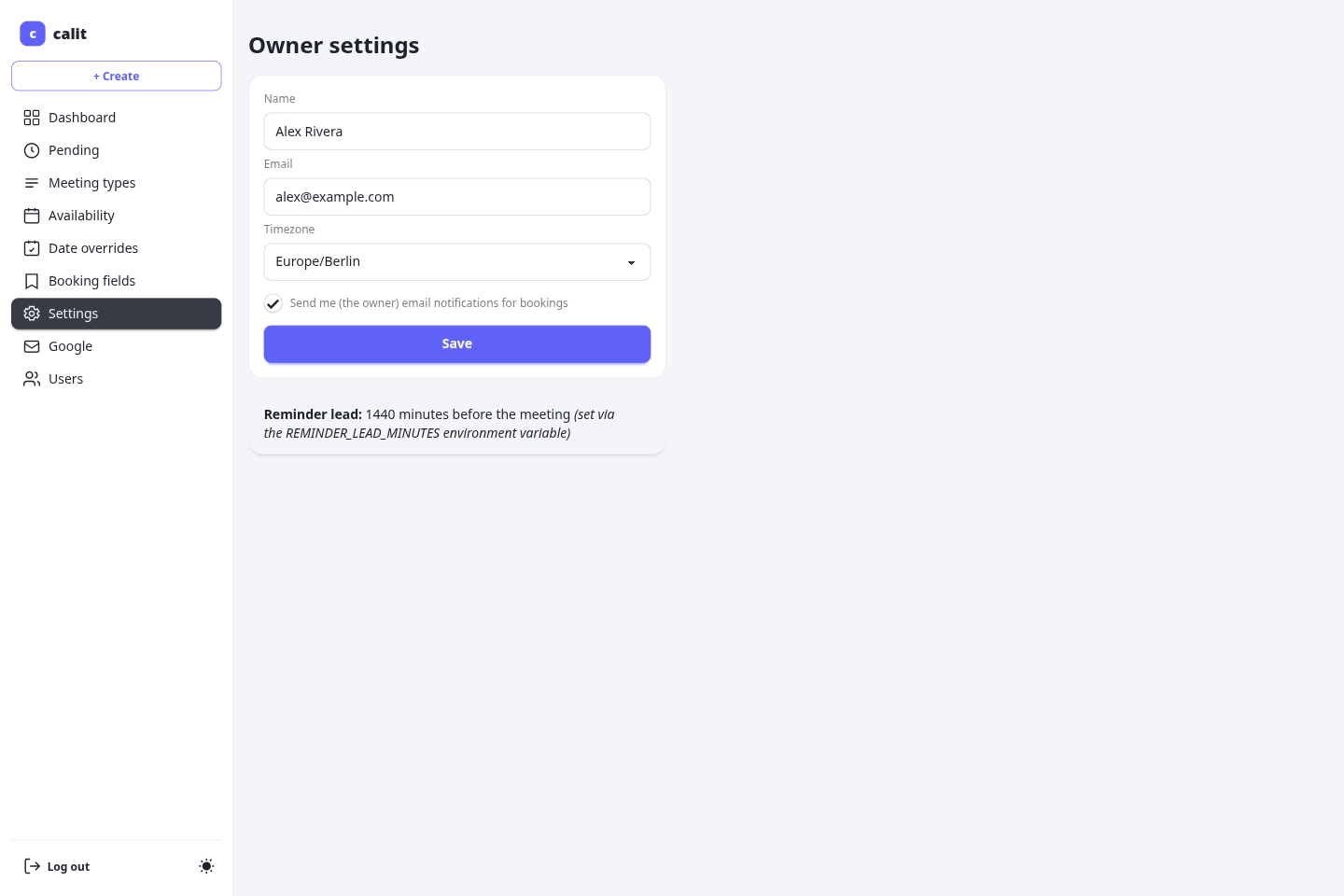
Section titled “Google account”Connect a Google account in your account settings to enable Google Meet links and Google Calendar sync for your bookings.
Availability
Section titled “Availability”Bookable slots for a meeting type come from your availability rules and any date overrides. See Availability & overrides.