Availability & overrides
calit computes bookable time slots dynamically from your weekly availability rules, date-specific overrides, existing bookings, and the constraints set on each meeting type.
Weekly availability rules
Section titled “Weekly availability rules”Set the days and hours you are generally available each week. These are your baseline recurring windows.
A new account starts with Monday–Friday 09:00–18:00, set when you complete the first-login wizard. Edit them, extend them, or clear them entirely — the defaults are a starting point, not a floor. Clearing every day leaves you with no global hours, and meeting types that have no hours of their own then offer no slots.
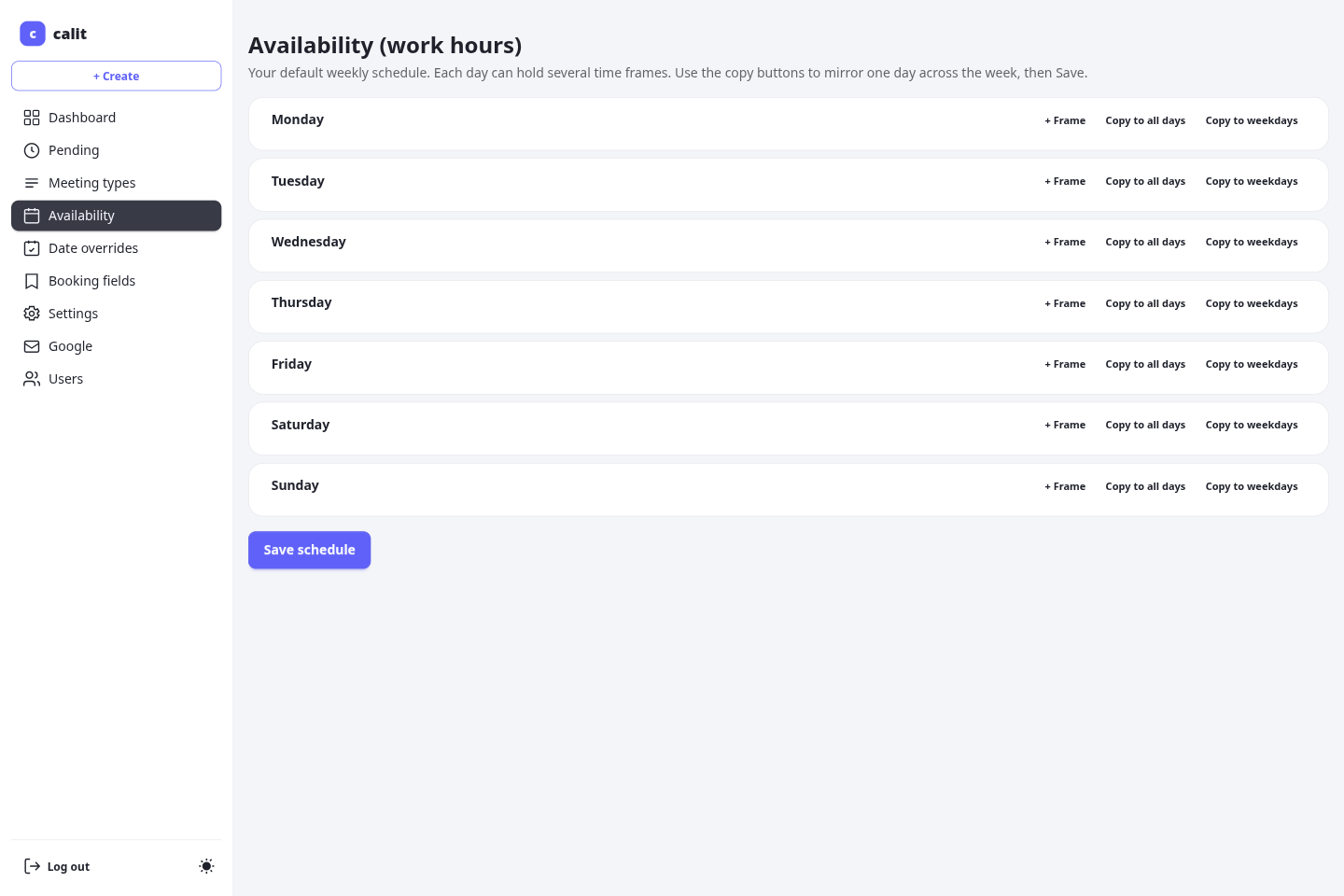
Each day can hold several time frames, and the copy buttons mirror one day onto the others. A day with no frames is a day you are not available. The meeting-type create form uses this same grid, so a new type can be given its whole week up front rather than one frame per day.
Global hours and per-meeting-type hours
Section titled “Global hours and per-meeting-type hours”You have one global weekly schedule (/me/availability), and each meeting type can keep a schedule of its own (on the meeting type’s page, under Working hours).
- A meeting type with no hours of its own follows your global schedule. Change the global grid later and that type follows along.
- A meeting type with any hours of its own is driven by that grid alone: it is bookable exactly when its own grid says so, and a weekday you leave blank there is not bookable for that type — your global hours do not fill the gap.
So to say “this meeting type is never available on Thursdays”, open the type’s Working hours, clear Thursday with Remove availability, and save. Every other day keeps its frames.
To make this switch obvious, a meeting type that has no hours of its own opens with its grid already filled in with your global hours. Nothing is stored until you press Save working hours; saving turns those hours into that type’s own schedule, and from then on the grid is the whole truth for that type.
Date overrides
Section titled “Date overrides”Date overrides replace the weekly rule for a specific calendar date with replace semantics — the override takes precedence over the weekly schedule entirely for that day.
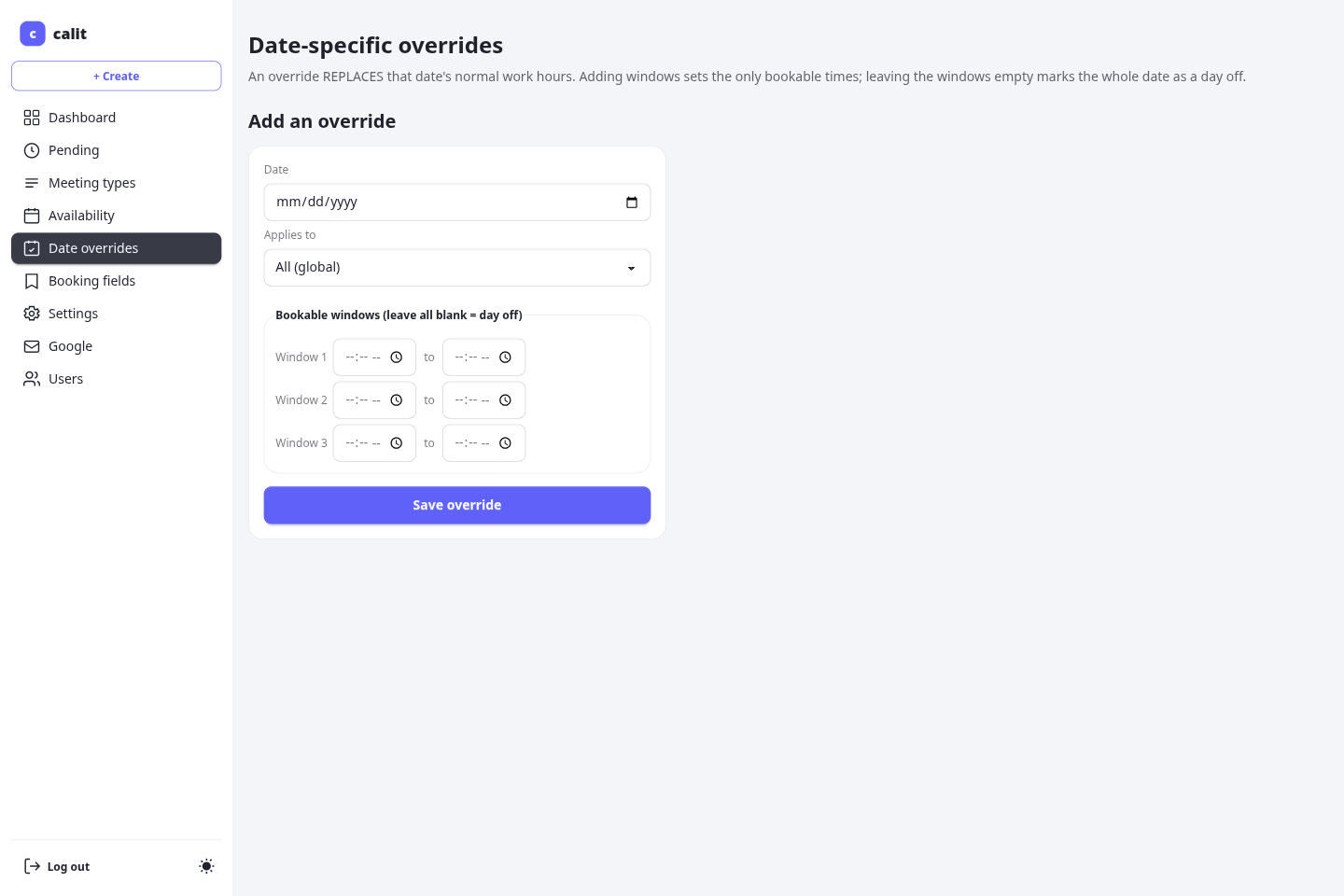
Two override modes are available:
- Block a date — set the date as unavailable regardless of the weekly schedule. No slots are offered on that day.
- Custom windows — define one or more custom time windows for that specific date (useful for a day when your hours differ from the norm).
Like rules, overrides can be global or scoped to a single meeting type. A per-type override takes precedence over a global one for the same date.
The overrides page leads with your upcoming overrides, soonest at the top. Overrides dated before today are folded into a collapsed Past overrides section at the bottom of the list — they are kept, not deleted, and expand with one click. An override dated today still counts as upcoming, and “today” is read in the timezone configured in your account settings.
How slots are computed
Section titled “How slots are computed”When an invitee views your booking page, calit calculates the available slots by:
- Starting from that meeting type’s own weekly windows — or your global ones if the type has none — or the date override if one exists for that day.
- Subtracting time blocked by existing confirmed or pending bookings, plus any buffer-before and buffer-after configured on the meeting type.
- Discarding slots that fall within the minimum notice window (too soon to book).
- Discarding slots beyond the booking horizon (too far in the future).
Timezone handling
Section titled “Timezone handling”Invitees see all slots in their own local timezone (detected from their browser). You configure your own timezone in /me/setup or in your account settings; all availability rules are interpreted in your timezone, and converted for each visitor automatically.
Your own pages under /me — the dashboard, the approval queue, and a booking’s manage page — all show times in that configured timezone and name it on screen, so a booking reads the same on every page while you are travelling. The timezone picker on the manage page is a one-off override for that page, not a second default.